mcp-deploy
The most lightweight PaaS on the planet. Deploy Docker containers to your VPS from any MCP client. No database, no bloat – just deploy.
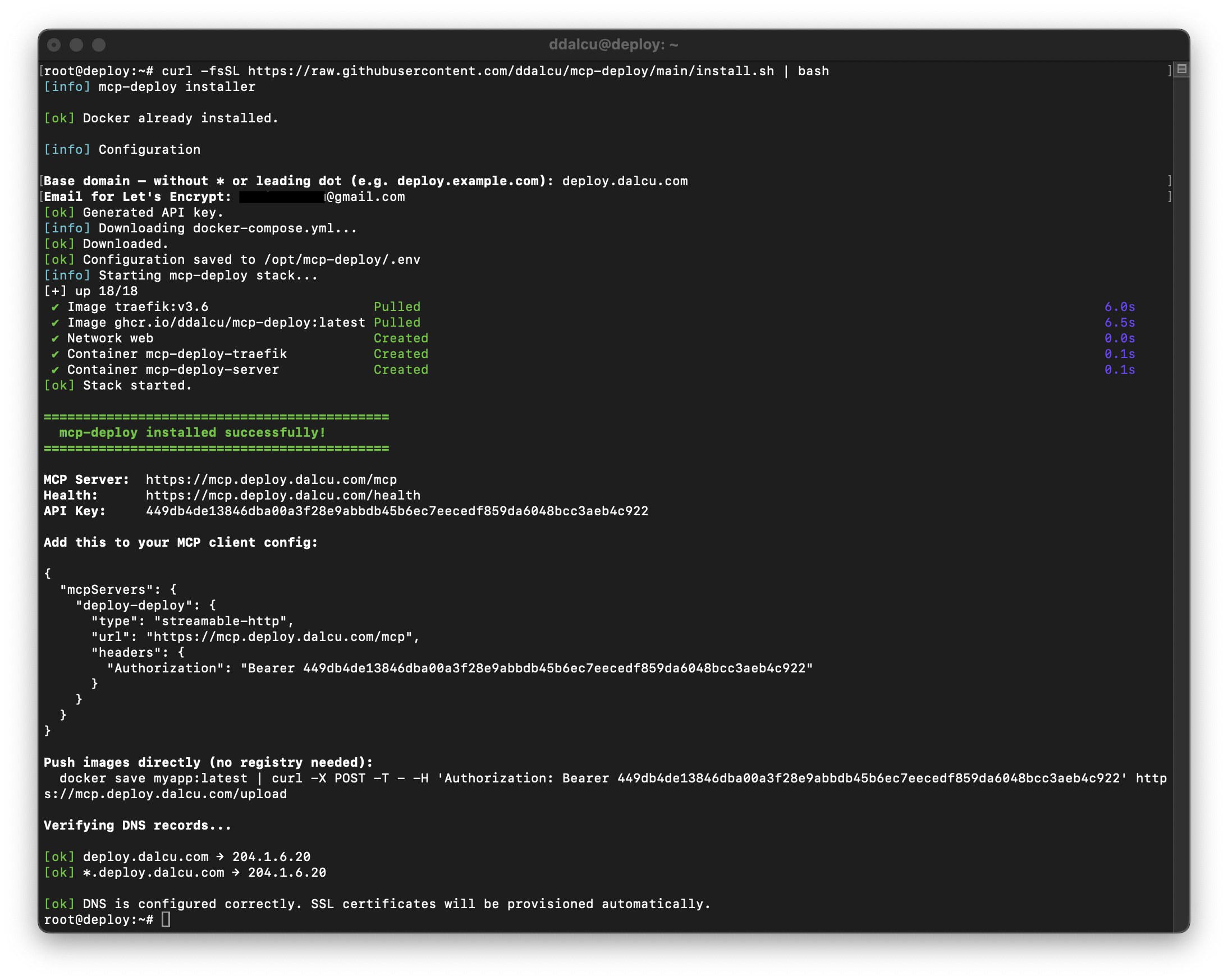
curl -fsSL https://raw.githubusercontent.com/ddalcu/mcp-deploy/main/install.sh | bash
Get Started
See it in action
How it works
- Traefik handles SSL (automatic per-subdomain Let's Encrypt certs) and routes each subdomain to the right container
- MCP Server receives tool calls over Streamable HTTP, exposes a REST API for CI/CD, and includes a built-in dashboard
- No database – Docker is the source of truth. No JSON state files, no sync issues
- No registry required – push images directly from your machine, or pull from GHCR / DockerHub
Quick start
Four steps from zero to deploying containers with natural language. Need a VPS? Hetzner gives you $20 free credit – a CX22 is more than enough.
Set up DNS
Create two A records pointing to your VPS IP: deploy.example.com and *.deploy.example.com.
Install on your VPS
SSH in and run the one-line installer. It sets up Traefik, the MCP server, and generates your API key. You can choose to expose the server via domain, direct port, or both.
curl -fsSL https://raw.githubusercontent.com/ddalcu/mcp-deploy/main/install.sh | bash
Add to your MCP client
Paste the config the installer outputs into Claude Code, Cursor, or any MCP client.
claude mcp add deploy https://mcp.deploy.example.com/mcp \
  -t http -s user \
  -H "Authorization: Bearer YOUR_API_KEY"
Deploy something
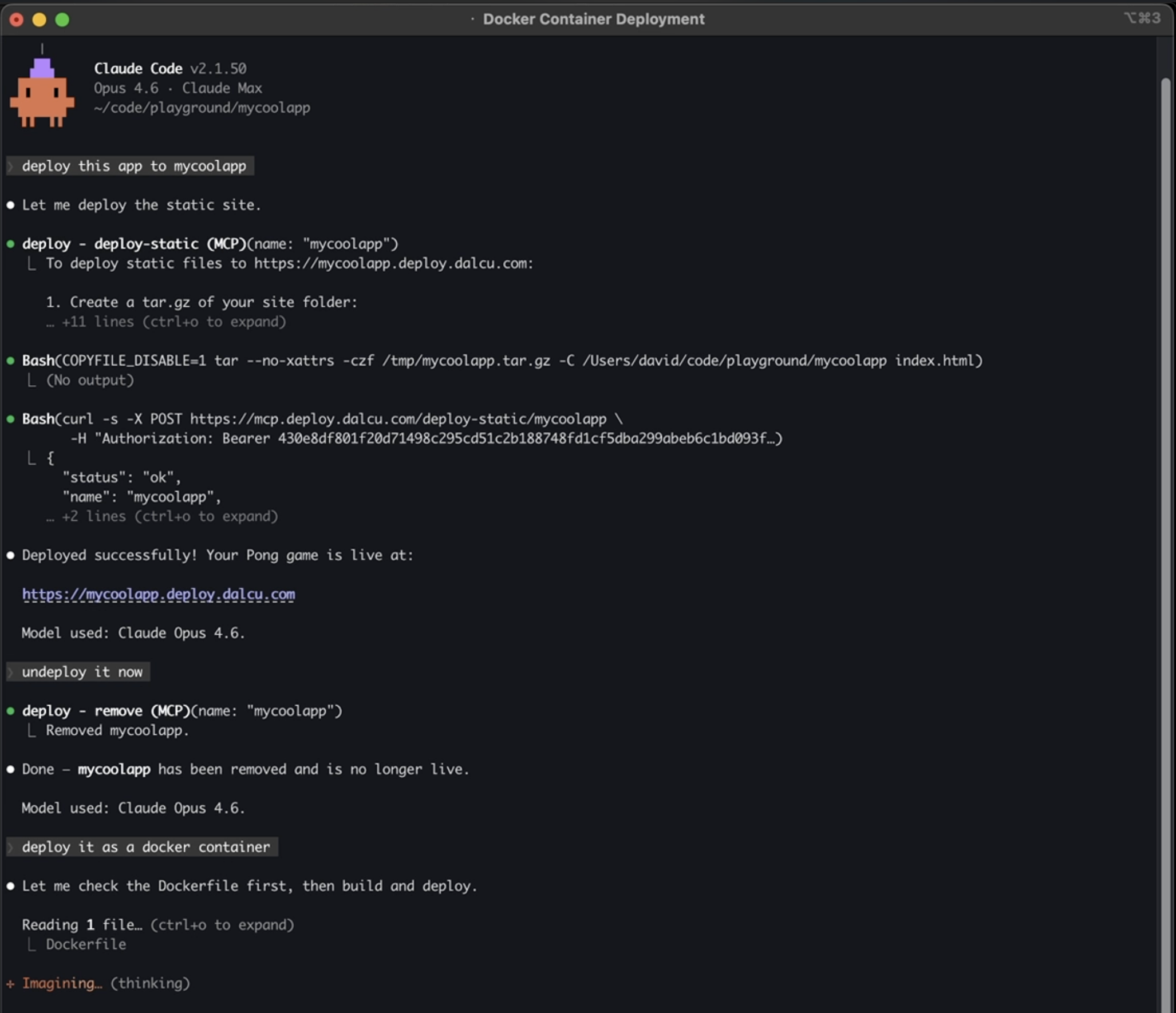
Open any project and say "Deploy nginx:alpine as hello". Visit the URL – it's live with SSL.
Upgrade to the latest version:
cd /opt/mcp-deploy && docker compose pull && docker compose up -d
Don't like it? Uninstalling is just as simple:
cd /opt/mcp-deploy && docker compose down -v && rm -rf /opt/mcp-deploy && docker network rm web
MCP Tools
Nine tools, available to any MCP client. All managed through natural language.
| Tool | Description |
|---|---|
| deploy | Deploy or redeploy a Docker image with automatic SSL and subdomain routing |
| deploy-static | Deploy a static HTML site with automatic SSL and subdomain routing |
| list | List all managed deployments |
| logs | Get container logs |
| status | Detailed app info – CPU, memory, uptime, restart count |
| stop | Stop a running app (container preserved) |
| start | Start a stopped app |
| remove | Permanently remove an app and its container |
| upload-image | Push a locally-built Docker image directly to your VPS – no registry needed |
REST API
Every MCP tool is also available as a REST endpoint, so you can deploy from GitHub Actions, scripts, or any HTTP client.
| Endpoint | Description |
|---|---|
| POST /api/deploy | Deploy or redeploy a Docker image |
| GET /api/apps | List all managed deployments |
| GET /api/apps/:name | Detailed app info – CPU, memory, uptime |
| GET /api/apps/:name/logs | Get container logs |
| POST /api/apps/:name/stop | Stop a running app |
| POST /api/apps/:name/start | Start a stopped app |
| DELETE /api/apps/:name | Permanently remove an app |
Example: Deploy from a script
curl -X POST https://mcp.deploy.example.com/api/deploy \
  -H "Authorization: Bearer YOUR_API_KEY" \
  -H "Content-Type: application/json" \
  -d '{"name": "my-api", "image": "nginx:alpine"}'
Built-in dashboard
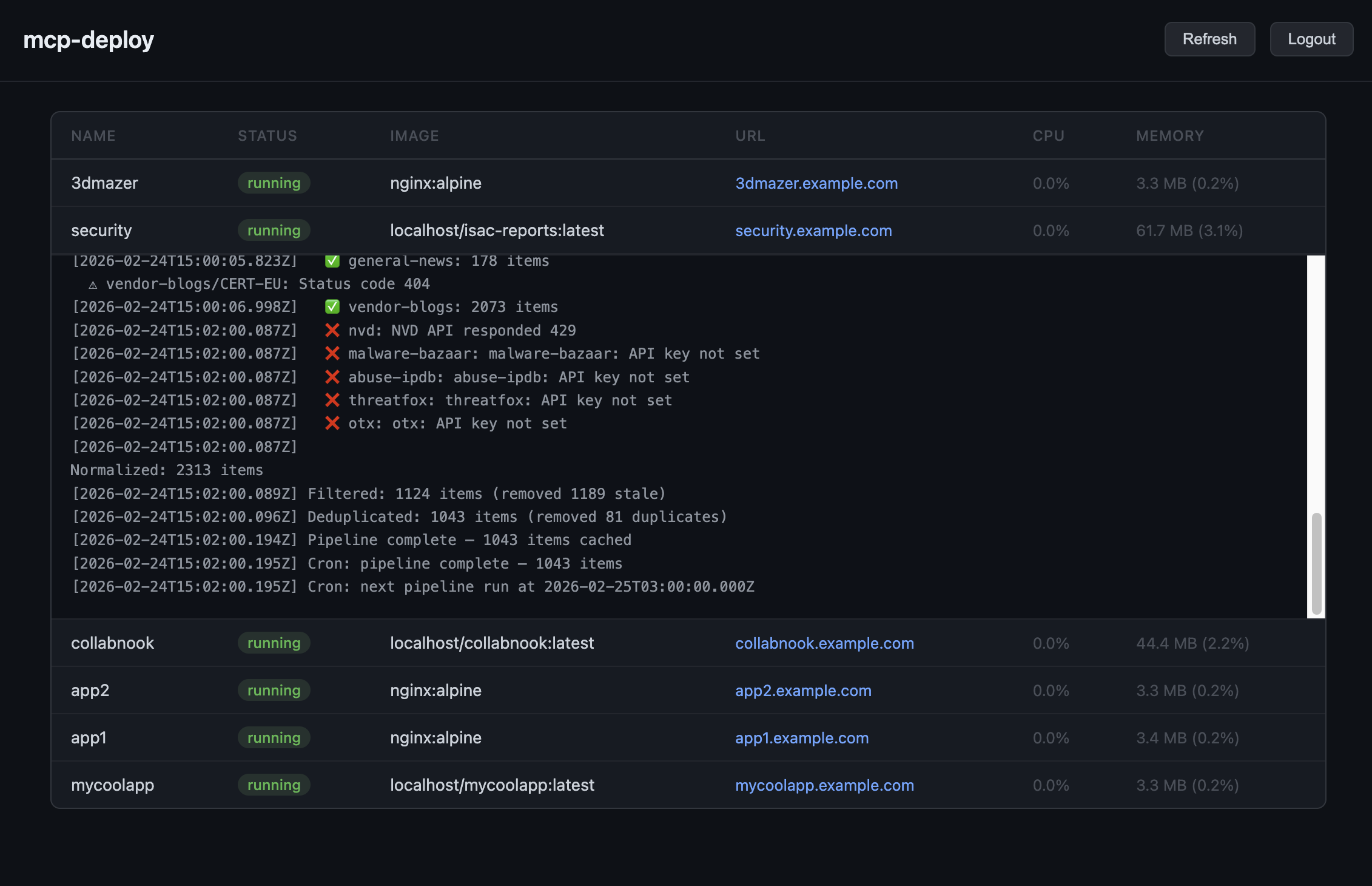
Visit your MCP server URL in a browser to see all your deployments, their status, resource usage, and logs – no extra setup needed. Just log in with your API key.
Why mcp-deploy?
Coolify, Dokku, CapRover, Dokploy – great tools, but they all come with dashboards, databases, and complexity you don't need. This is the opposite.
Automatic SSL
Every app gets its own Let's Encrypt certificate. No config files, no cert managers, no renewals to think about.
No registry required
Push images straight from your machine. Skip the DockerHub/GHCR dance when you just want to ship.
No database
Docker IS the database. Two files, two containers, zero state to corrupt. It cannot get any simpler than this.
AI-native (MCP)
Built for AI from day one. Not a web UI with an API bolted on – your AI talks to it directly.
One-line install
One curl, two questions, done. No 15-minute setup wizards, no provisioning steps, no prerequisites.
Dashboard + REST API
Built-in web dashboard to monitor apps. REST API for CI/CD – deploy from GitHub Actions or scripts.
Multi-server
Install on as many VPS servers as you want. Address them by name: "deploy to staging".
Ditch the heavyweight
Other platforms do more – and that's the problem. More moving parts, more things to break, more to maintain. mcp-deploy does exactly what you need and nothing else.
| MCP Docker servers | Self-hosted PaaS | mcp-deploy | |
|---|---|---|---|
| Remote VPS deployment | No | Yes | Yes |
| MCP protocol (AI-native) | Yes | No | Yes |
| Automatic SSL + subdomains | No | Yes | Yes |
| No database / minimal | – | No | Yes |
| Direct image push | No | Some | Yes |
| REST API for CI/CD | No | Yes | Yes |